

← Series overview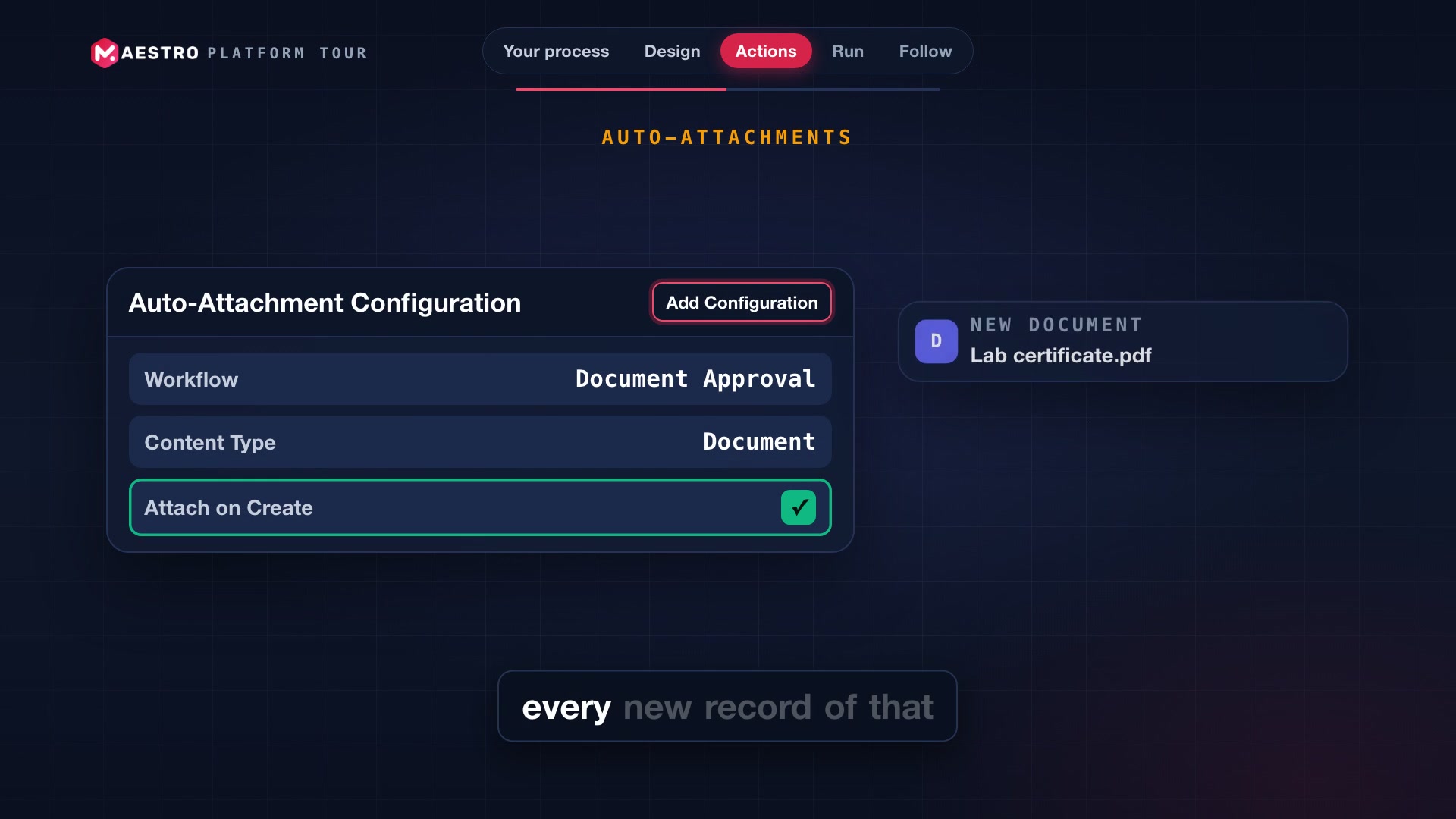
Episode 6 / 12
Workflows: your process, drawn once
Draw your review and approval process once in a visual designer, attach tasks, notifications and webhooks, and follow it on every record.
About this episode
Your process
- Every team has a process: who reviews, who approves, and what happens next. Usually, it lives in someone's head.
- In MAESTRO, a workflow puts that process on records that have a status, like documents, deviations and visits.
Design
- Open the visual designer. Add states, initial, regular and final, then drag from one to the next.
- Click a transition to set its allowed roles, and whether it requires a comment.
- It saves as you go, and a health badge checks the design: no dead ends, no unreachable states.
Actions
- Each transition can carry actions: tasks for a team, notifications, and webhooks to other systems.
- A task template sets the team, the priority, and a due date counted in days from the transition.
- With an auto-attachment, every new record of that type starts in the workflow by itself.
Run
- My Tasks lists only the records waiting on you: the ones where you can act.
- Preview a transition first, and see the tasks it will create, before anything changes.
- Then execute it. The record moves, the tasks are created, and the history gains a row.
Follow
- The workflow also follows the record: change a document's status, and its workflow moves with it.
- That is when notifications are sent and webhooks are called, with retries if a system is down.
- Back in the designer, Show live runs puts a count on every state.
- And the analytics page adds the totals, and a timeline of activity.
Workflows in MAESTRO: your process, drawn once, and tracked on each record it is attached to.
Seen enough of the tour?
See MAESTRO on your own studies.
Book a 30-minute walkthrough. Tell us which episodes mattered most, and we'll show those tools live, set up the way your trials run.
- 30-minute call
- The live product, no slides
- No obligation
Book your MAESTRO walkthrough
Pick a time and tell us a little about your studies. We'll confirm within one business day.